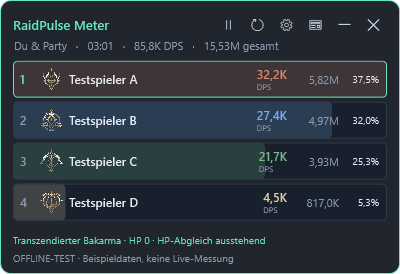
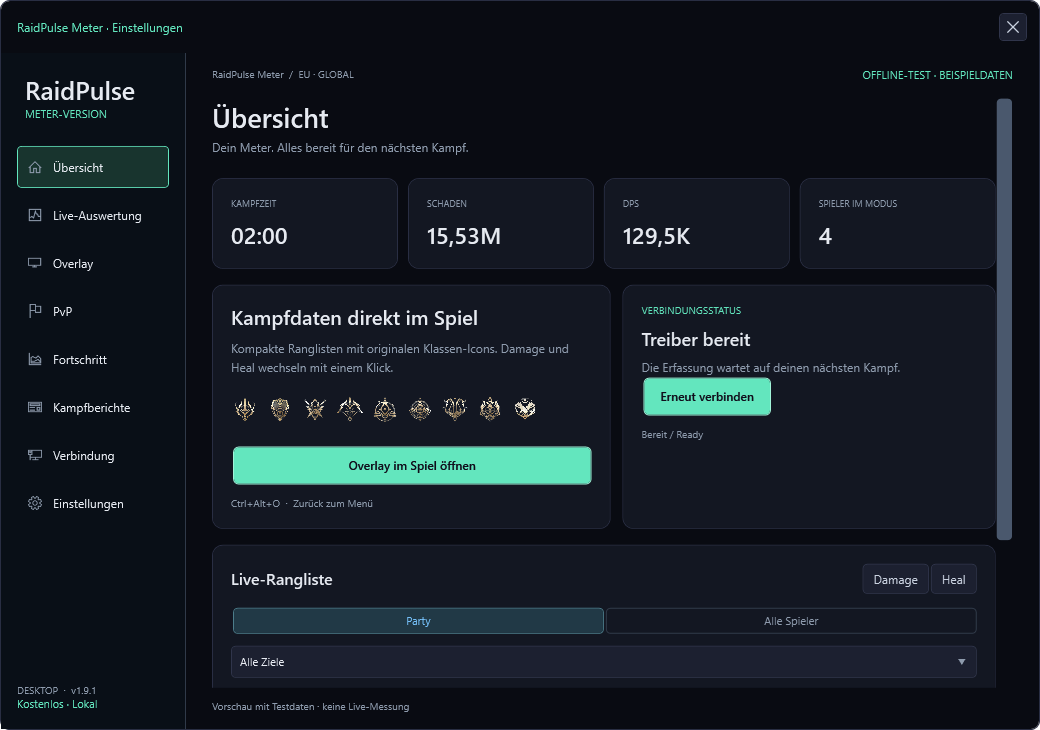
No. The damage meter starts in guest mode without an account and saves your fight reports locally.
Can I upload fight reports?
No. File and fight report uploads are disabled. Signed-in users can publish Daevanion builds with skills, equipment and rotation.
What does the EXE require?
Windows 10 or 11 and Npcap for packet capture. If Npcap is missing, RaidPulse assists with the official installer; you confirm the Windows prompt and vendor license.
Is RaidPulse an official AION 2 product?
RaidPulse is an independent tool. No affiliation or approval by NCSOFT is claimed. No protection against bans is guaranteed.
RAIDPULSE · DAMAGE METER
Your fight, in focus.
Damage, healing and boss focus in a compact overlay. Your fight reports stay on your PC.
Privacy at RaidPulse
Updated: 6 October 2026
1. Controller
[Full legal name / registered company]
[Street and house number]
[Postal code, city, country]
[Working contact email]
Project: RaidPulse. Entries in square brackets are placeholders which the operator must complete.
2. Website and hosting
The website runs on a Hetzner server in Germany. Requests involve processing the IP address, requested address, time and technical connection information where needed to provide and secure the service and investigate errors. The legal basis is Article 6(1)(f) GDPR, reflecting the legitimate interest in operating and protecting the service.
IP addresses are counted temporarily in memory for short request and download limits. Error logs rotate subject to size limits. This information is not used to create visitor profiles or measure advertising.
3. Cookies and browser storage
Acknowledgement of the privacy notice is stored on your device for up to 180 days. You can reopen the notice through “Cookies & privacy” in the footer. Plans, favourites, comparisons, quest progress and personal reminders stay in this browser when you request these features. They are not automatically uploaded. Clear browser site data to remove them. A shared plan link can expose its encoded selections to anyone receiving it.
Storage required for requested functions is based on section 25(2)(2) TDDDG. Where personal data is involved, processing serves the requested function or the legitimate interest in providing it. Public registration and payments are currently disabled. Existing accounts use a necessary HttpOnly session cookie with Secure and SameSite for at most seven days. The server stores a hash of the random session token. Account email, password hash and permissions support account management and are not displayed as part of public builds.
4. Advertising and analytics
Public pages load Google AdSense (publisher ca-pub-6962474734350928). Technical connection data, including your IP address and browser details, are transmitted to Google. For EEA users the provider is Google Ireland Limited, Gordon House, Barrow Street, Dublin 4, Ireland. The tag also loads Google's consent management once its message has been published for this website. Ad requests wait for the applicable consent decision. Existing Google cookies may be read while requests are paused; according to Google no new ad cookies are set during the pause and existing cookie data are not used for advertising or measurement. Personalization is enabled only with the appropriate consent. Google receives the actual consent string and may serve non-personalized or Limited Ads depending on the user's choices and the AdSense configuration. Limited Ads do not use data for personalization; programmatic Limited Ads may use storage solely for fraud detection. Advertising choices can be changed using “Advertising consent” in the footer. Acknowledging our general privacy notice does not grant advertising consent. Data may be transferred to third countries. More information: https://policies.google.com/privacy and https://policies.google.com/technologies/ads. Consent-dependent storage and processing are based on section 25(1) TDDDG and Article 6(1)(a) GDPR. The operator details and legal review remain to be completed.
5. Content and external links
News is fetched server-side from the official Steam feed; your IP address is not passed to Steam for that fetch. External sites have their own privacy policies. File and combat-report uploads are disabled. Signed-in users may publish structured builds. Account association, title, notes, class, skill and equipment choices, rotation and timestamps are stored in the database. Public builds are visible to visitors; private drafts are visible to their owner. Ratings and reports are associated with an account. Owners can delete builds. This provides the requested community function (GDPR Art. 6(1)(b)); abuse prevention and moderation serve a legitimate interest (Art. 6(1)(f)). Content is retained until deletion or moderation. Backups may contain deleted data until their retention expires; the operator must specify the retention period.
6. Windows meter
Combat analysis and reports remain on your PC. Update checks and downloads connect to raidpulse.net over HTTPS and process the technical information necessary for that connection. They do not upload combat or inventory data. Update signatures and checksums are verified before installation.
7. Your rights
Where statutory conditions apply, you have rights of access, rectification, erasure, restriction and portability. You may object to processing based on legitimate interests for reasons relating to your particular situation and withdraw consent for the future. You may complain to a competent data protection authority. Contact the operator using the details above once they have been completed.