

Damage & Heal
Rankings, DPS/HPS, totals and contribution. Choose your party or all captured players.
DAMAGEHEALPARTY
Your AION 2 damage meter: damage, healing and boss fights in an overlay. Daevanion, items and quests in one place.
Download being prepared · Windows 10 / 11
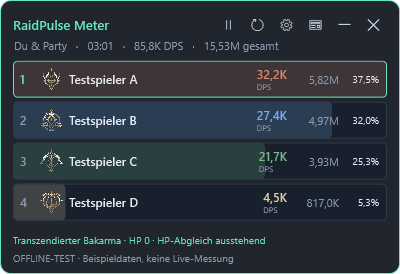
Find skills, explore original boards and see the shortest connected path to your chosen node. Plan your build in German or English.
Free to use in game, without an account.
Rankings, DPS/HPS, totals and contribution. Choose your party or all captured players.
Keep boss damage in sight while attacking adds.
Local fight reports and skill breakdowns show how your result adds up.
Move, scale and adjust transparency. Custom class colors and automatic hiding for supported game menus.
Damage, healing and fight analysis for Windows. Start without an account and keep your party in sight.
No. The damage meter starts in guest mode without an account and saves your fight reports locally.
Yes. Sign in to Daevanion and publish your build with skills, equipment and rotation.
Windows 10 or 11 and Npcap. Setup helps you install Npcap if it is missing.
RaidPulse is an independent project and is not operated or endorsed by NCSOFT.
Damage, healing and boss focus in a compact overlay. Your fight reports stay on your PC.
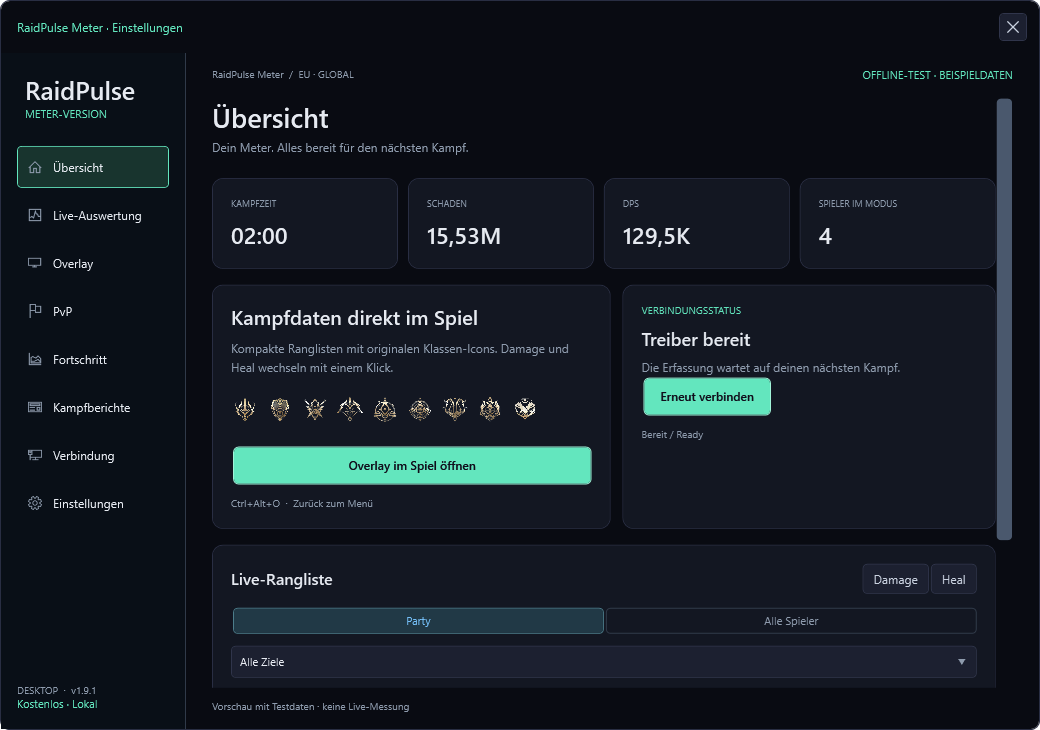
Rankings, DPS/HPS, totals and contribution. Choose your party or all captured players.
Keep boss damage in sight while attacking adds.
Local fight reports and skill breakdowns show how your result adds up.
Sign in and continue working on your build.
Download the Windows package, extract the ZIP and start RaidPulse-Meter.exe. Setup guides you through Npcap installation if needed.
Use the gear icon to select Damage/Heal, party mode and display settings. Ctrl+Alt+O opens settings.
The meter checks for new versions at startup. In settings, check for updates and install a verified update. Your settings are preserved.
Check connection status, Npcap and the selected network adapter in settings. Check for a meter update if values stop appearing after a game update.